Getting started
From signing in to your first audit, and the checklist that tracks a new site's setup.
PersonaMark needs three things before it can tell you how your site is doing: the site's address, proof that you control it, and a first audit. This section walks through each one.
Signing in
There's no password. Enter your email on the sign-in page and PersonaMark sends you a link. A new address gets an account, and every new account comes with a personal organization to hold its sites.
After you sign in you land on Your organizations, which lists every organization you belong to and your role in each. Open one to see its sites. Invitations to other organizations show here too, and you can make another organization under New organization. Team covers organizations, members and invites.
The steps
Add a site. Type the website's address on the organization's Sites page.
Prove you own it. Add a DNS record or a meta tag, then check. Nothing runs against a site until it's verified.
Run the first audit. PersonaMark crawls the site, checks each page and gives it a score.
The setup checklist
A new site's Overview opens with Set up this site, a short list of what's left to do. Each open step links to where it's done:
| Step | Where it goes |
|---|---|
| Prove you own the site | The ownership section on the same page |
| Run the first audit | The site's Audits tab |
| Connect Search Console | Settings › Connections (Search Console) |
| Add a persona and a goal | The project's Personas tab (Personas) |
Each step says Done, Next or To do. Next is the first step still open. Steps you finish stay on the list, so it reads as progress, and the whole list goes away once every step is done.
If the server you use has no Google connection set up, Connect Search Console says Not available and doesn't keep the list open.
After the first audit, the persona step takes you to suggested personas and goals drafted from your site's pages, rather than a blank form.
What the Overview shows after that
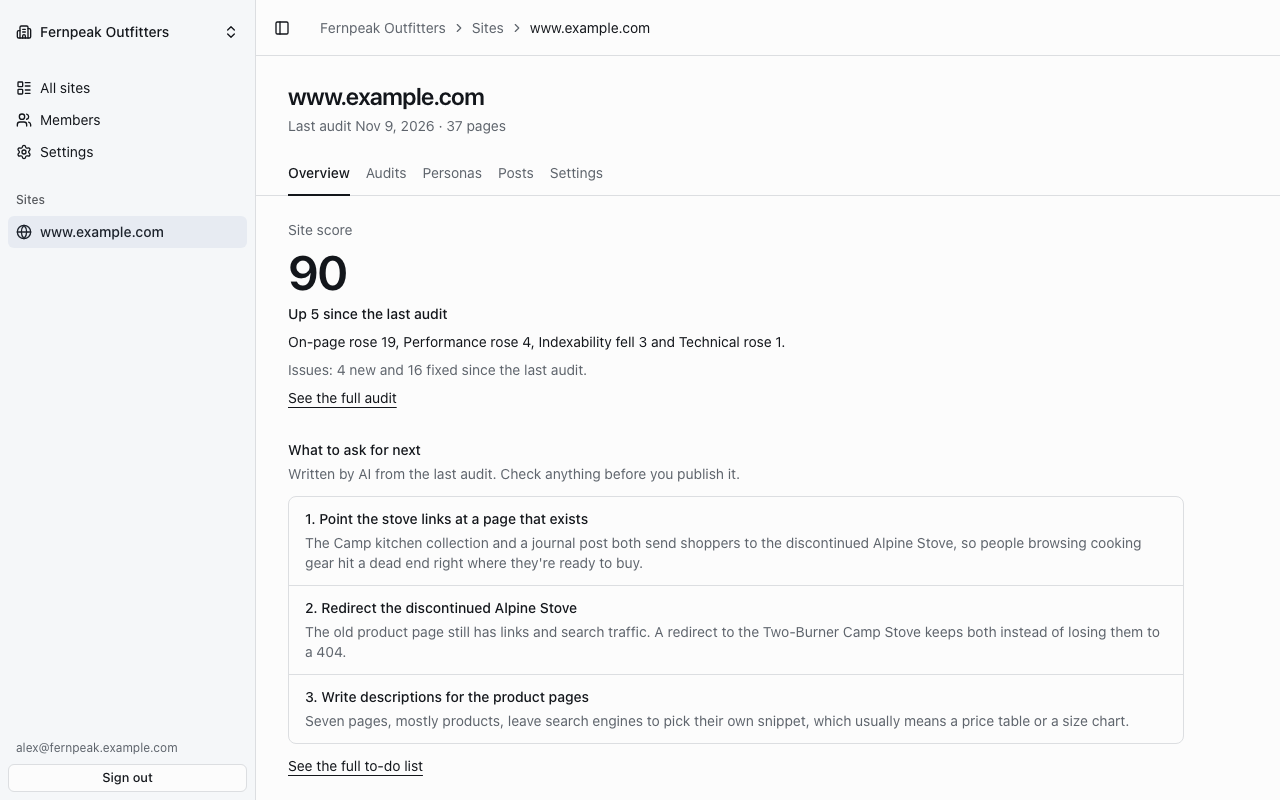
Once a site has an audit, its Overview shows:
- Site score, and how it changed since the last audit, area by area.
- What to ask for next: up to three open AI notes from the latest audit's to-do list.
- Latest persona runs.
- Whether Search Console is connected, with a link to manage it in Settings.
See the full audit opens the latest audit's Summary.